Evaluating the Vibrant Purple Floral Wedding Invitation Template for Modern Events
In the landscape of event planning, the invitation serves as the first tangible interaction guests have with the occasion. For couples and hosts seeking a balance between aesthetic richness and logistical efficiency, digital templates have become an indispensable resource. The Vibrant Purple Floral Wedding Invitation represents a specific category of design asset that merges bold color theory with the practicality of DIY customization. This analysis explores the utility, technical specifications, and real-world application of this template, helping you determine if it aligns with your project requirements.
Design Aesthetics and Visual Impact
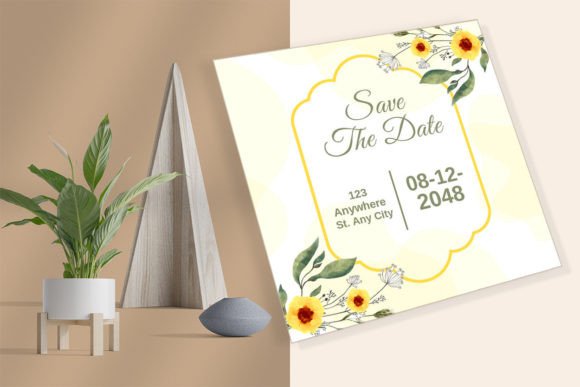
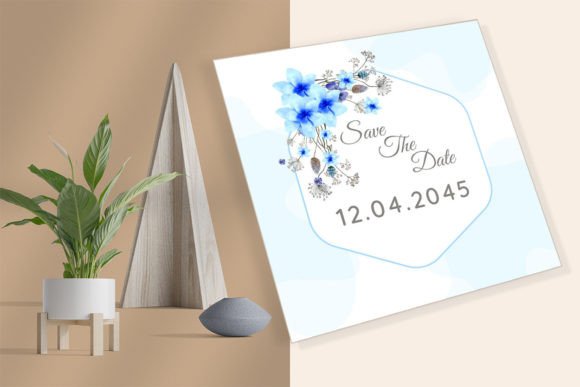
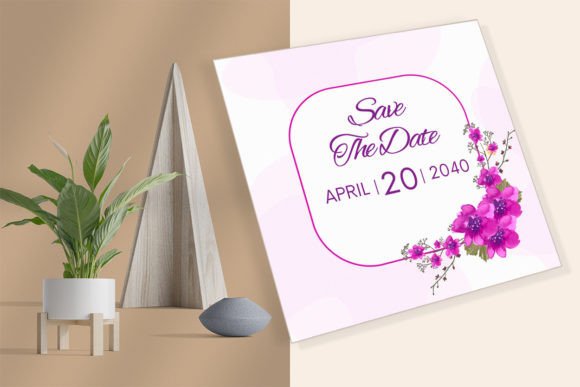
The defining characteristic of this asset is its color palette. Purple, historically associated with royalty, creativity, and wisdom, offers a striking alternative to the ubiquitous pastels or stark monochromes often found in wedding stationery. A "vibrant" iteration suggests a saturation level that commands attention without appearing garish, provided it is balanced correctly with whitespace and typography. The floral elements included in the design are not merely decorative; they serve to soften the geometric rigidity of the square format (5.25" x 5.25"), creating an organic frame that draws the eye toward the central text.
The inclusion of handwritten fonts is a deliberate stylistic choice that enhances the personal feel of the invitation. In professional design, pairing a script font with a more legible serif or sans-serif body text is crucial for hierarchy. This template appears to leverage that principle, offering a romantic touch through the script while maintaining readability for critical details like dates and locations. For marketers and creators, understanding this visual hierarchy is key; the design does the heavy lifting of establishing tone, allowing the user to focus on content accuracy.
Technical Flexibility and Software Compatibility
One of the most significant strengths of this template is its dual-software compatibility. It is offered as both a customizable CANVA template and a native Adobe Illustrator file (AI, EPS, PDF). This bifurcation addresses two distinct user bases: the casual designer who prioritizes speed and ease of use, and the professional graphic designer who requires vector precision and advanced manipulation capabilities.
For the Canva user, the workflow is streamlined. The package includes a PDF guide with a direct link to the template. Once accessed via a free account, the interface allows for intuitive drag-and-drop editing. Users can modify fonts, colors, and text blocks without needing to understand layers or anchor points. This lowers the barrier to entry for small business owners or individuals who need high-quality results quickly. Conversely, the Adobe Illustrator files provide full vector control. Professionals can adjust individual floral petals, alter stroke weights, or integrate the design into a larger branding suite. The availability of EPS and AI formats ensures that the artwork remains resolution-independent, a critical factor for large-scale printing or high-end offset production.
File Formats and Deliverables
The comprehensive nature of the download package adds to its value proposition. Upon purchase, users receive a zipped file containing:
- EPS & AI Files: For professional vector editing in Adobe Illustrator.
- PDF Design Files: Ready-to-use or editable versions depending on the software.
- JPG & PNG: Raster images suitable for immediate digital sharing, social media announcements, or website integration.
- PDF Canva Guide: Instructions and access links for the web-based editor.
This variety ensures that regardless of the distribution method—whether physical mail or digital email—the user has the appropriate file type ready. The inclusion of PNGs with transparent backgrounds (implied by standard design practices for such templates) is particularly useful for overlaying the floral elements onto other materials like menus or programs.
Practical Application and Workflow Efficiency
The default size of 5.25" x 5.25" (13.335 cm x 13.335 cm) is a strategic choice. Square invitations stand out in a mailbox filled with standard rectangular correspondence, increasing the likelihood of engagement. However, this non-standard size does present logistical considerations. When printing at home, users must ensure their printer supports borderless printing or be prepared to trim the edges manually. Alternatively, utilizing Canva's integrated printing services or a local professional print shop can mitigate alignment issues. For those opting for professional printing, providing the AI or PDF files ensures the highest fidelity, whereas the JPG/PNG options are sufficient for digital-only invites sent via WhatsApp, email, or embedded in wedding websites.
The "Instant Digital Download" model appeals to those working under tight deadlines. Unlike traditional stationers who require weeks for proofing and shipping, this template allows for immediate iteration. A user can finalize the text in the morning and have files ready for print or digital distribution by the afternoon. This speed is invaluable for entrepreneurs managing multiple projects or parents coordinating birthday parties where timelines can shift rapidly.
Target Audience and Use Cases
While marketed primarily as a wedding invitation, the versatility of the floral design and neutral layout structure makes it applicable to a broader range of events. The vibrant purple theme is particularly well-suited for:
- Evening Weddings and Galas: The deep tones complement formal attire and nighttime settings.
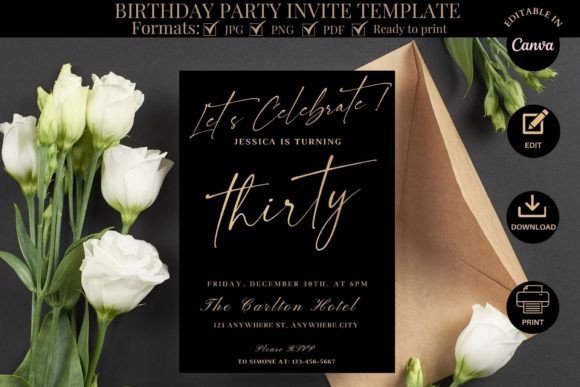
- Milestone Birthdays: Significant birthdays (e.g., 30th, 40th, 50th) often call for a more sophisticated aesthetic than juvenile party themes.
- Corporate Events: Brands utilizing purple in their identity can adapt this template for holiday parties or appreciation dinners.
- Bridal Showers and Rehearsal Dinners: Creating a cohesive stationery suite by using the same floral assets across different event types.
Educators and publishers might also find value in the structural layout for certificates or formal announcements, leveraging the editable text fields to repurpose the design for academic or institutional recognition.
Quality Assessment and Limitations
From a quality standpoint, the reliance on vector-based formats (AI/EPS) suggests a high ceiling for output resolution. Unlike raster-only templates that may pixelate when scaled, these files maintain crisp edges regardless of size adjustments. The handwritten fonts included are generally licensed for personal and commercial use within the template, but users should verify specific font licenses if they intend to use the design for mass commercial resale.
However, potential users should be aware of certain limitations. The "easy to edit" claim holds true primarily for text and color changes. Substantial structural changes, such as moving the floral arrangement entirely or altering the composition balance, require a deeper understanding of design principles, especially within Canva. While Canva is user-friendly, over-editing can sometimes lead to misalignment if grid guides are ignored. Furthermore, color consistency between screen and print can vary. What appears as a vibrant purple on a calibrated monitor may print darker or lighter depending on the paper stock and printer profile. It is always recommended to print a single test copy before committing to a full run.
Final Verdict on Utility
The Vibrant Purple Floral Wedding Invitation template stands out as a robust tool for those seeking a professional look without the agency price tag. Its strength lies in the hybrid delivery system that caters to both novices and experts. The combination of a distinctive color scheme, versatile file formats, and a convenient square format makes it a highly functional asset. For individuals who value time efficiency and design consistency, this template offers a reliable foundation. Whether used for a once-in-a-lifetime wedding or a recurring business event, the ability to customize and iterate quickly provides long-term value. As with any DIY design tool, the final result depends on the user's attention to detail regarding typography hierarchy and print preparation, but the underlying framework provided here is solid, flexible, and aesthetically compelling.