Elevating Typography with the Care 3D Text Effect in Adobe Illustrator
In the landscape of modern graphic design, typography often serves as the primary vehicle for communication. Whether crafting a logo, designing a social media banner, or laying out a magazine cover, the way text is presented can define the entire visual identity of a project. For professionals and creators who rely on Adobe Illustrator, achieving a high-quality three-dimensional look without getting bogged down in complex modeling processes is a constant pursuit. This is where resources like the Care 3D Text Effect become significant assets in a designer's toolkit. Rather than building depth from scratch using extrusion tools or mesh gradients, this asset offers a streamlined approach to generating professional-grade 3D lettering.
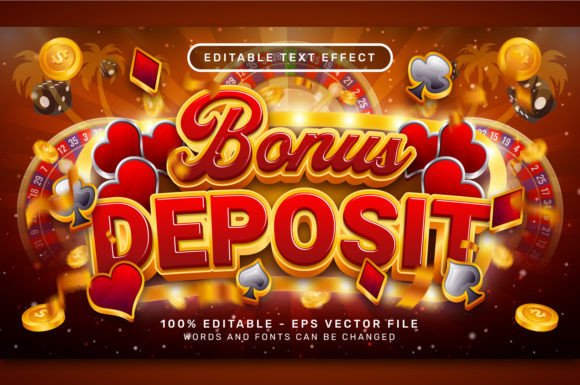
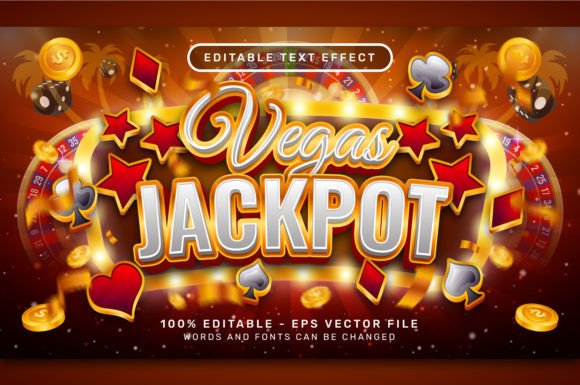
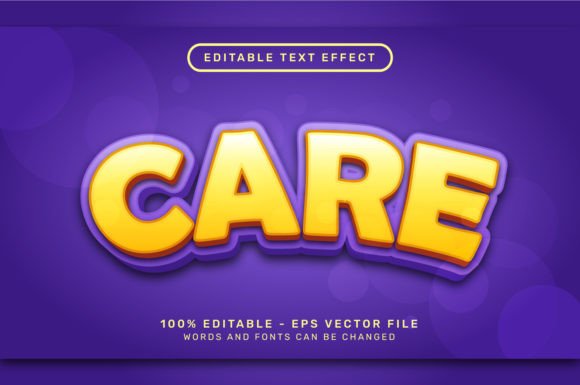
The core value proposition of the Care 3D Text Effect lies in its simplicity and editability. In a fast-paced work environment, time is often the most scarce resource. Traditional methods of creating 3D text in vector software can be tedious, requiring precise manipulation of lighting, shading, and perspective for every single character. This specific effect package addresses that bottleneck by utilizing Adobe Illustrator's Graphic Styles. The workflow is intuitive: a user simply selects an existing text object and applies the style. Immediately, flat vector paths transform into dimensional forms with realistic lighting and shadowing. If the message needs to change, the user types a new sentence, and the effect updates automatically. Similarly, swapping the font family retains the three-dimensional integrity, allowing for rapid experimentation with different typographic voices.
Technical Composition and File Integrity
When evaluating digital design assets, the technical specifications are just as important as the visual outcome. The Care 3D Text Effect is distributed as a VECTOR .EPS file, accompanied by a high-resolution 7000 x 4000 PX .jpg preview. The choice of the EPS format is strategic for professional workflows. Unlike raster-based effects that lose quality when scaled, vector data ensures that the text remains crisp and sharp regardless of whether it is being used for a small business card or a large-format billboard. This scalability is non-negotiable for print designers and brand strategists who need consistency across various media sizes.
A critical aspect of this tool is its independence from external dependencies. Many "one-click" solutions in the design market require specific plugins, third-party scripts, or complex action sets that can break when software versions update. The Care 3D Text Effect operates natively within Adobe Illustrator. It requires no additional textures, no actions, and no plugins. This reliance on native functionality—specifically the "Window > Graphic Styles" panel—ensures long-term reliability. A designer can open this file five years from now on a different machine, and provided they have Illustrator, the effect will function exactly as intended. This stability reduces the risk of project files becoming obsolete due to software ecosystem changes.
Workflow Efficiency and Practical Application
The practical utility of this asset extends beyond mere convenience; it fundamentally alters the speed of iteration. Consider a marketing team working on a campaign that requires multiple variations of a headline to test against different audience segments. Without a pre-made style, adjusting the 3D properties for each variation could take hours. With the Care 3D Text Effect, these iterations can be completed in minutes. The ability to instantly visualize how a bold sans-serif compares to a classic serif in a 3D space allows for more informed creative decisions.
Furthermore, the editable nature of the text preserves the integrity of the design process. Some 3D effects rasterize the text upon application, turning letters into static images that cannot be spell-checked or reformatted. This effect maintains the text as live, editable vectors. This is crucial for accessibility and final production, ensuring that typos can be fixed seconds before a deadline without needing to rebuild the entire graphic. The consistency of the lighting and shading across different characters also eliminates the common pitfall of manual 3D creation, where one letter might catch a highlight differently than its neighbor, breaking the visual cohesion of the word.
Ideal Use Cases and Audience Fit
Who benefits most from integrating the Care 3D Text Effect into their workflow? The primary beneficiaries are freelancers, small business owners, and content creators who often wear multiple hats. A solo entrepreneur managing their own branding may not have the time to master advanced 3D modeling techniques but still requires a polished, professional aesthetic to compete in the marketplace. Similarly, social media managers and bloggers who need to produce eye-catching thumbnails and headers daily will find the speed of this tool invaluable.
It is also highly relevant for educators and publishers creating instructional materials. The clear, dimensional text helps in emphasizing key concepts in presentations or textbooks, making the content more engaging for readers. Even experienced graphic designers can utilize this asset as a starting point. While a senior art director might customize the colors or add additional manual touches for a bespoke luxury brand project, using a base style like this accelerates the initial concept phase, allowing them to focus on higher-level creative strategy rather than repetitive technical execution.
Limitations and Professional Considerations
While the Care 3D Text Effect offers substantial advantages, it is important to approach it with a realistic understanding of its scope. As a preset style, it provides a specific aesthetic. While the color and font are editable, the fundamental geometry of the extrusion and the angle of the light source are predefined within the graphic style. For projects requiring highly customized, organic 3D shapes or unconventional lighting scenarios that deviate significantly from the preset, manual modeling may still be necessary. However, for the vast majority of commercial applications—such as logos, headers, and promotional graphics—the provided style offers a level of polish that satisfies professional standards.
Additionally, users should be mindful of font licensing. While the effect itself is editable, applying it to a font requires that the user has the appropriate rights to use that typeface commercially. The tool enhances the font but does not provide the font itself. This is a standard industry practice, but it is a detail that responsible creators must manage to avoid legal complications.
Long-Term Value and Versatility
The inclusion of a high-resolution JPG preview alongside the vector file speaks to the versatility of the package. It allows users to quickly assess the quality before diving into the editing process, which is helpful for project planning and client presentations. The fact that everything is contained within a single, self-sufficient file structure means there is no clutter of linked assets or missing folders. This cleanliness is appreciated in collaborative environments where files are shared among team members.
In terms of long-term value, the investment in such a tool pays off through repeated use. Unlike a custom illustration that serves a single purpose, a text effect style is a reusable utility. It can be applied to hundreds of different projects over the course of a career. The consistency it brings to a body of work can also help in establishing a recognizable visual language for a brand. When a company consistently uses a specific style of 3D typography across their website, packaging, and advertising, it reinforces brand recognition. The Care 3D Text Effect facilitates this consistency with minimal effort.
Ultimately, the decision to utilize a resource like the Care 3D Text Effect comes down to a balance between quality, efficiency, and control. It bridges the gap between the flat limitations of 2D design and the complexity of full 3D rendering. By leveraging native Illustrator features, it ensures compatibility and ease of use while delivering a sophisticated visual result. For anyone looking to enhance their typographic presentations without sacrificing workflow speed, this type of asset represents a pragmatic and effective solution. It empowers creators to focus less on the mechanics of software and more on the message they are trying to convey, proving that sometimes the best tools are the ones that get out of the way and let creativity happen.